


User Registration
Documents required for User Registration
| Mobile Phone | |
| Aadhar card | Pan Card |
| Digilocker Account | Passport Size Photo |
| Bank Account Details |

Login Details
- Go to https://edraw.tcpharyana.gov.in
- Click on 'User Registration'
- Enter your Email and Mobile number and verify them uisng OTP
- After verification, you will be asked to create a password for your account
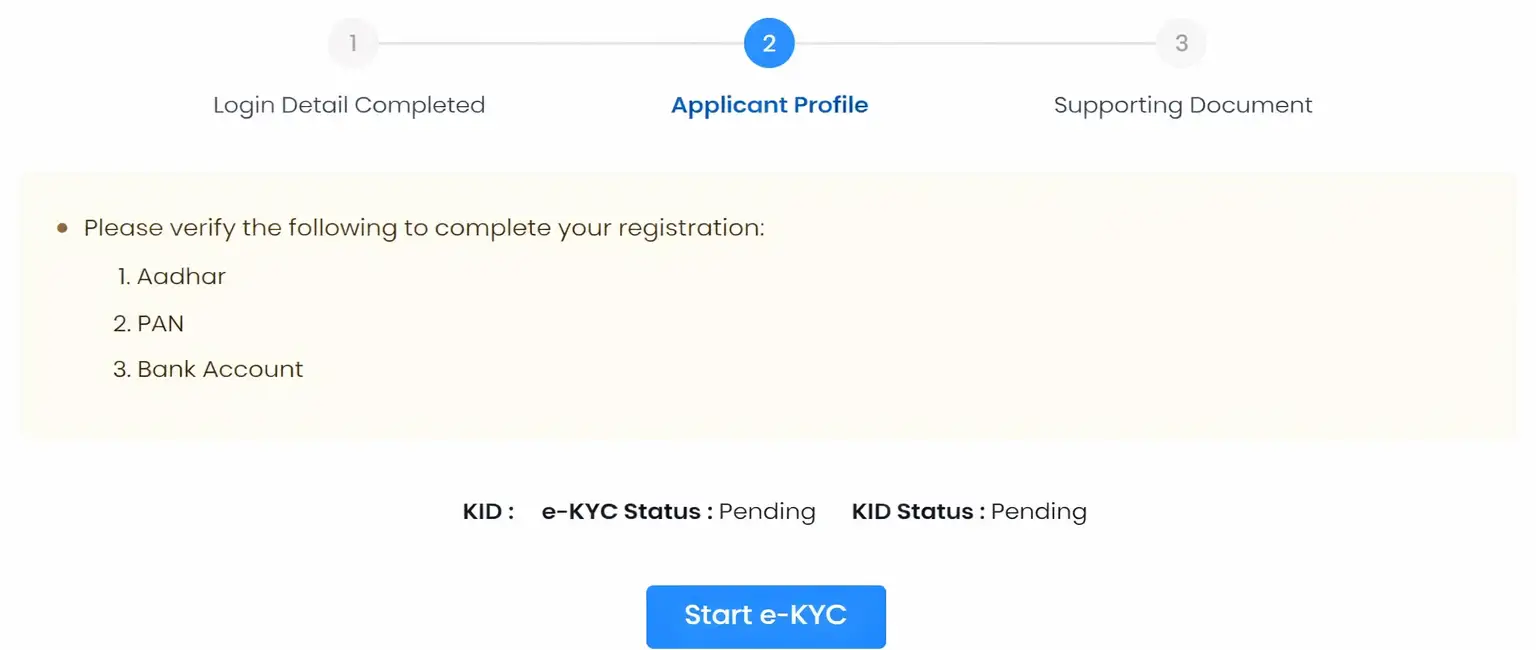
Applicant Profile
- Now you have to start your e-KYC process
- In this step, you will be required to veriify your Aadhar Card, PAN Card and Bank Details
- Click on 'Start e-KYC' and follow the instructions
- You will need to enter your Aadhar number and verify it using OTP
- You will need to verify your Aadhar Card using your Digilocker account as well
- So enter your Digilocker credentials and verify your documents
NOTE: Please ensure to refresh your Digilocker Aadhar and PAN documents before starting the e-KYC process
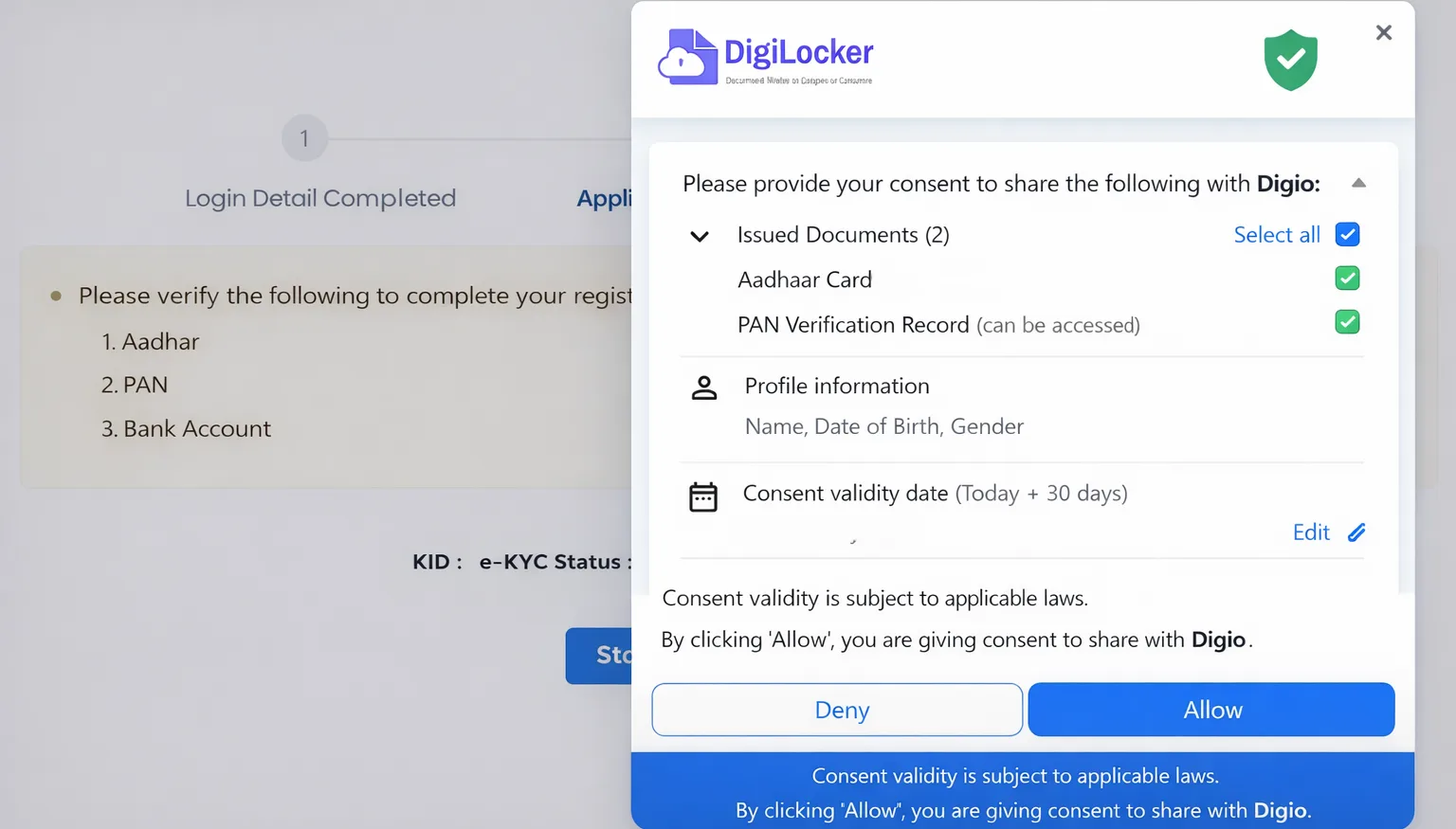
PAN Verification
- After Digilocker verification, you will be asked to verify your Aadhar and PAN Card via Digio
- Check both Issued Documents and click on "Allow" button
- Enter PAN Card details, click on "Fetch Document"
- Enter your Bank Account No. and IFSC Code. Click on "Submit"
- Now all of your documents are submitted for e-KYC Approval.
- Page will refresh automatically. After some time, your verified account will be ready to use
NOTE: Verification might take some time to be completed. You can check on later as well by login into your account on the login page.
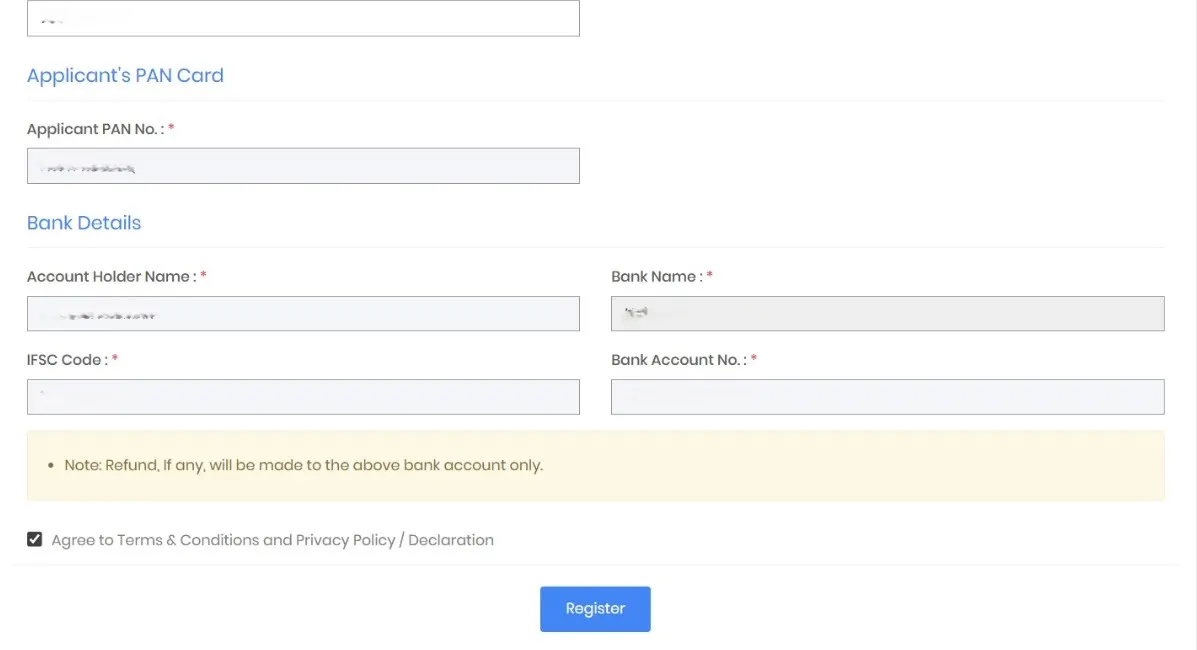
Applicant's Address
- After e-KYC is completed, you will be asked to enter your permanent address details.
- Enter all the required details, and check the "I agree to the terms and conditions" checkbox.
- Click on "Register" button to complete your application process.
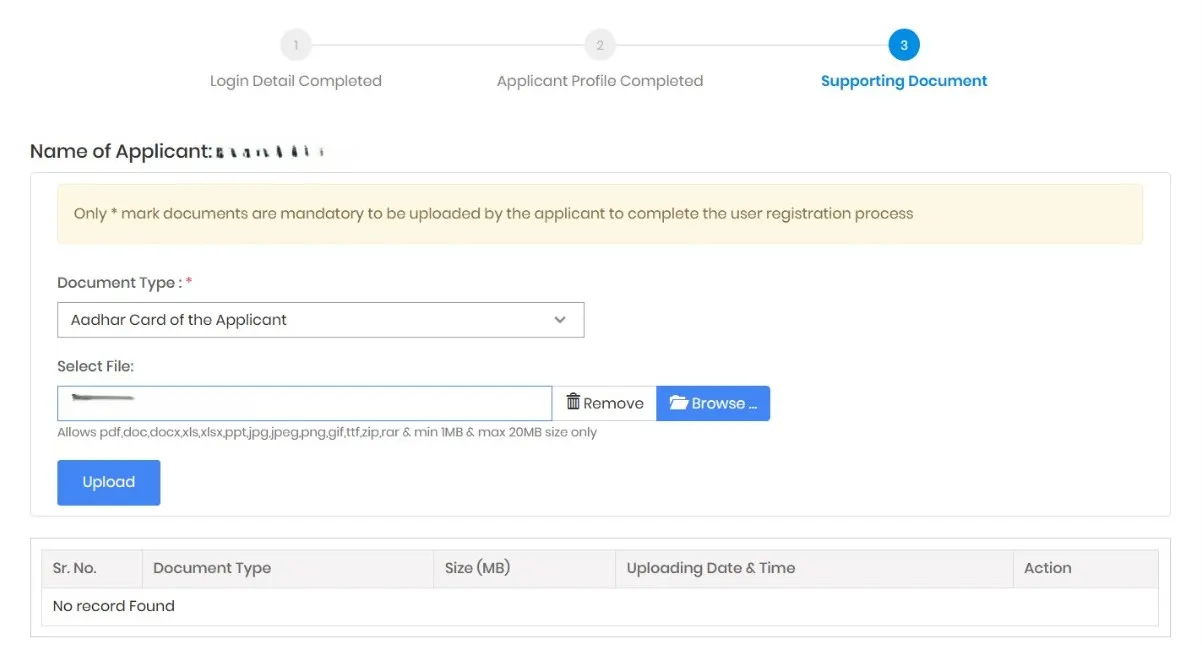
Supporting Documents
- Now you will be redirected to upload the image of Aadhar Card and PAN Card.
- Also you have to upload your passport size photo.
- Now Click on "Complete Profile Registration" Button.
- Your profile has been registered successfully now.
NOTE: All of the documents are required to upload.
Application Process
Documents required for application
| Aadhar card | Pan Card |
| Passport Size Photo | Affidavit |
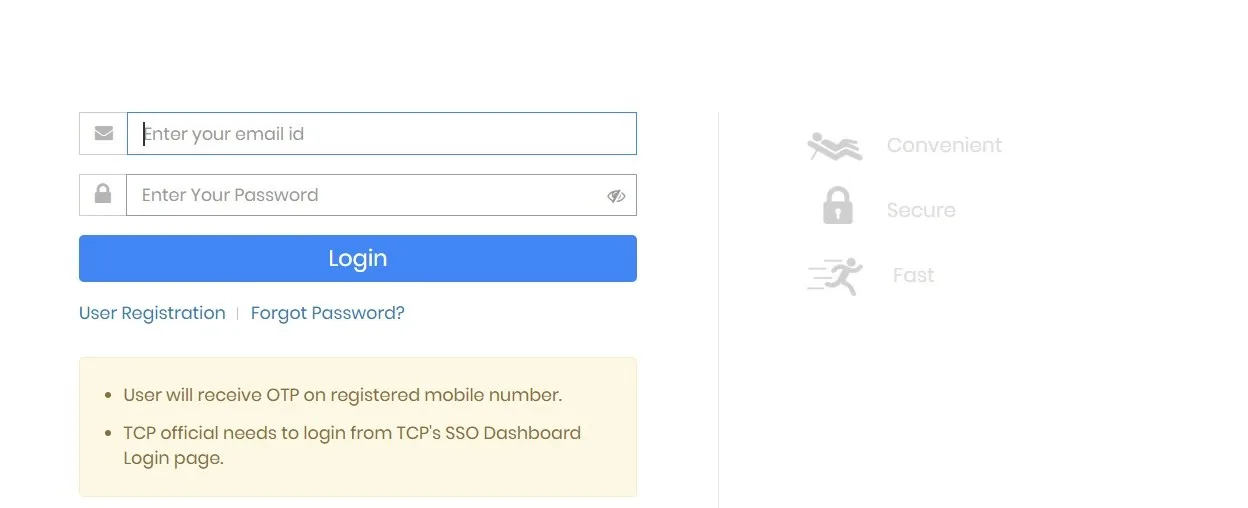
Login Details
- Go to https://edraw.tcpharyana.gov.in
- Click on "Login"
- Enter your Email and Password to login.
- Enter OTP for Verification
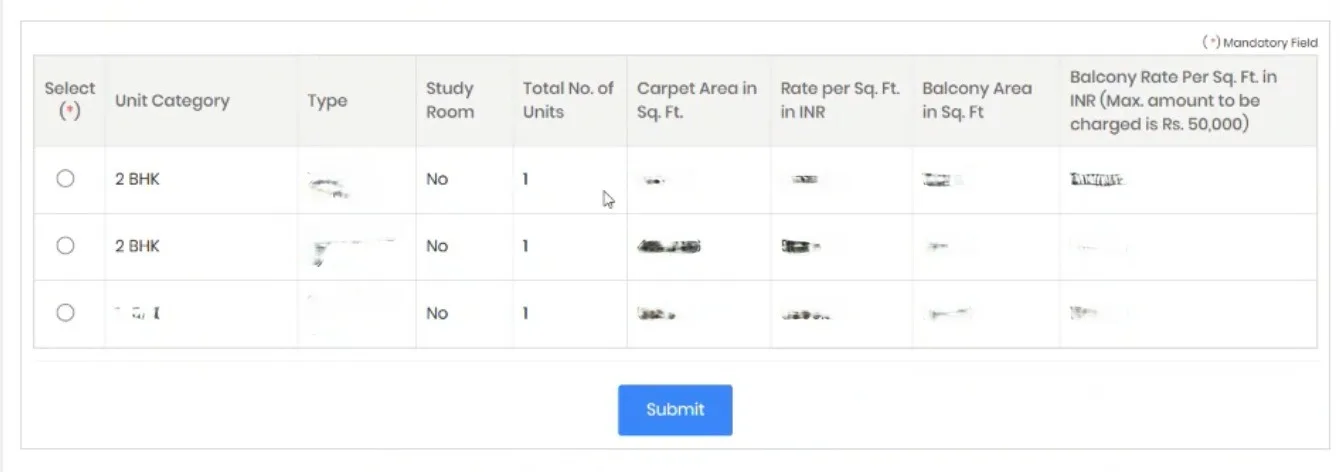
Projects List and Application
- There on the Live Projects Tab, you will see "Nakshatra By Nowara" Project ID: 214
- Click on "Apply" Button and you will be redirected to project details where you have to choose the unit Category
- Select your required unit and Click on "Submit".
- On the next page you will be asked to fill your details. Add Second Applicant (if applicable) and Click on "Submit"

Application Details
- On Category tab, enter your Category as "General Category" and click on "Submit".
- On Documents tab, Upload your applicable Documents
- On Registration Fees tab, Pay your Registration Fees.
- On Application Fees tab, Pay your Application Fees.
- On Final Submission tab, Verify all your details and submit your Application.
Supported Payment Methods:
- Net Banking
- Debit/Credit Cards
- UPI
- Offline Challan